安装 powershell-7
Micrsoft 官方下载
安装配置 oh-my-posh
设置 PS 执行策略
WARNING
需要以管理员的身份运行 powershell
Get-ExecutionPolicy -List
Set-ExecutionPolicy RemoteSigned -Scope Process
Set-ExecutionPolicy RemoteSigned -Scope CurrentUser
Set-ExecutionPolicy RemoteSigned -Scope LocalMachine
|
下载终端字体
安装 oh-my-posh
Set-ExecutionPolicy Bypass -Scope Process -Force; Invoke-Expression ((New-Object System.Net.WebClient).DownloadString('https://ohmyposh.dev/install.ps1'))
|
安装插件库
Install-Module -Name Terminal-Icons -Repository PSGallery
Install-Module posh-git
Install-Module ZLocation
Install-Module PSReadLine
|
配置主题
创建配置文件
New-Item -Path $PROFILE -Type File -Force
|
编辑配置文件 notepad $PROFILE
oh-my-posh disable notice
oh-my-posh init pwsh --config "$env:POSH_THEMES_PATH\amro.omp.json" | Invoke-Expression
Import-Module Terminal-Icons
Import-Module posh-git
Import-Module PSReadLine
Import-Module ZLocation
|
windows terminal 设置
将 powershell-7 设置为默认终端,更换默认字体为 MesloLGS NF
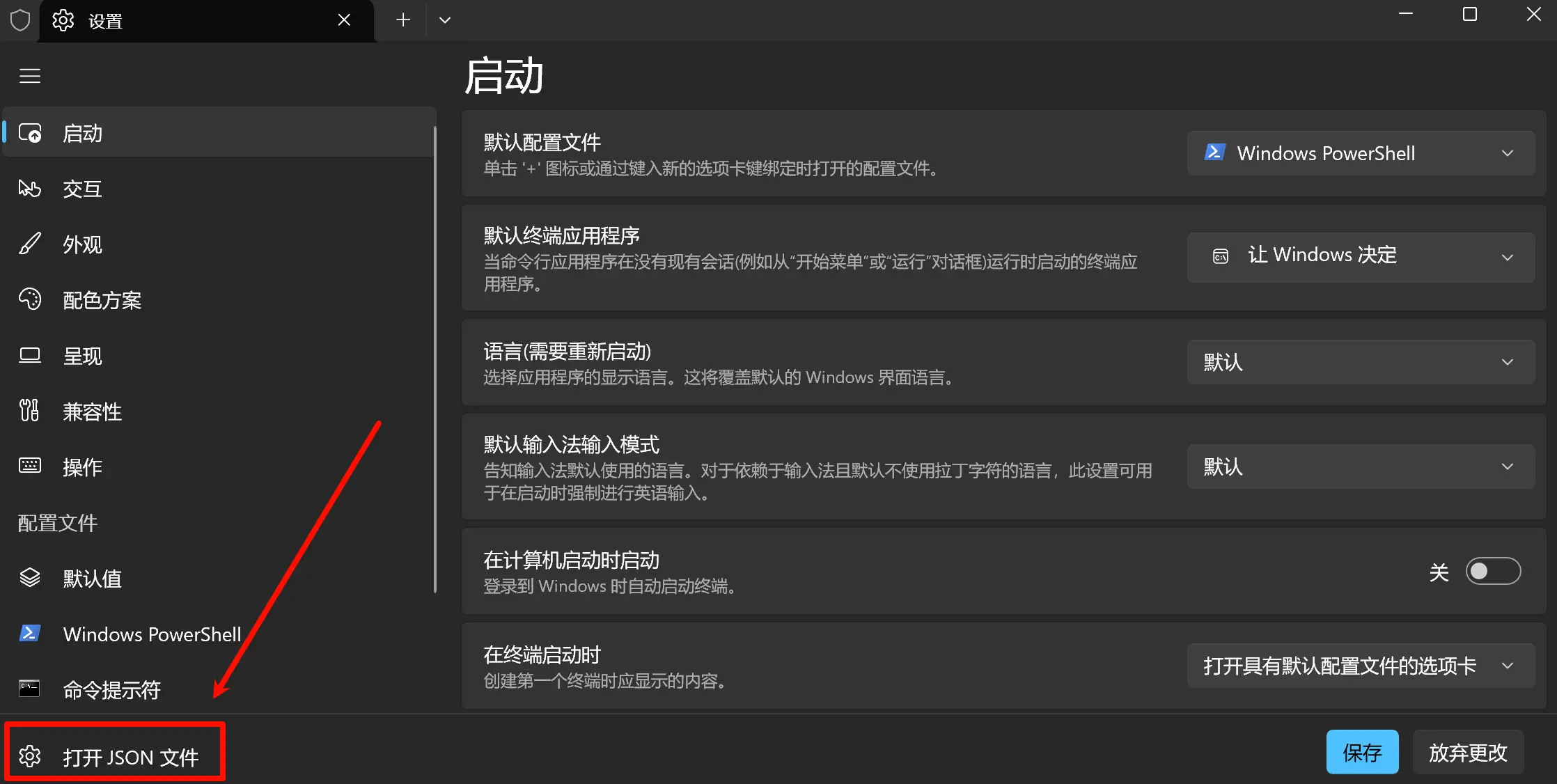
设置终端窗口大小,位置
title"initialCols": 80,
"initialRows": 20,
"initialPosition": "10,10",
|
powershell 设置别名
编辑配置文件:
若没有该配置文件,则创建
New-Item -Path $PROFILE -Type File -Force
|
在配置文件中添加
function alias{your command}
|
安装配置 scoop 包管理器
安装
iex "& {$(irm scoop.201704.xyz)} -RunAsAdmin"
|
换源
scoop config SCOOP_REPO "https://gitee.com/scoop-installer/scoop"
scoop update
|
安装插件
scoop install busybox
scoop install sudo
|
配置 SSH
添加 SSH 服务
「设置」—>「系统」—>「可选功能」—>「查看功能」,搜索 openssh,安装即可。
SSH 服务启停
Get-WindowsCapability -Online | Where-Object Name -like 'OpenSSH*'
Get-Service -Name sshd
Set-Service -Name sshd -StartupType 'Automatic'
Start-Service sshd
Restart-Service sshd
|
修改 SSH 配置文件
文件位置:C:\ProgramData\ssh\sshd_config
# Match Group administrators
# AuthorizedKeysFile __PROGRAMDATA__/ssh/administrators_authorized_keys


# 允许管理员登录
PermitRootLogin yes

# 允许免密
PubkeyAuthentication yes

# 允许密码
PasswordAuthentication yes

# 允许空密码
PermitEmptyPasswords no

# authorized_keys 位置
AuthorizedKeysFile	.ssh/authorized_keys
|
设置免密登录到 Windows
- 将公钥复制到 C:\Users\Administrator.ssh\authorized_keys 文件
- 重启 ssh 服务
设置 SSH 默认登录终端为 powershell-7
New-ItemProperty -Path "HKLM:\SOFTWARE\OpenSSH" -Name DefaultShell -Value "C:\Program Files\PowerShell\7\pwsh.exe" -PropertyType String -Force
|

 微信
微信 支付宝
支付宝